Many multiplayer games place every player under the same broad objective: move through the map, respond to opponents, and help the team win. Tactical shooters add another layer by assigning fundamentally different responsibilities to each side. Attackers must enter unfamiliar space, gather information, manage time, and create openings. Defenders begin with control of the objective area and must prepare, protect, reposition, and respond.
Those roles do more than change strategy. They change the sequence of decisions a player makes with a controller. The buttons used most often, the speed of camera checks, the importance of profile selection, and the time available to confirm a configuration can all differ between the two sides. A controller setup designed as though every round follows the same pattern may therefore feel less organised than one built around the user’s actual workflow.
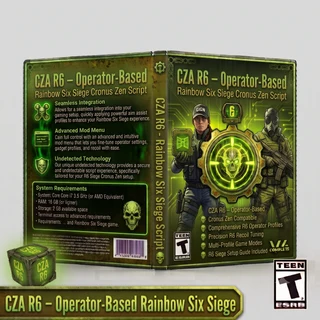
This is a useful principle when browsing a Cronus Zen script range for current games. A script can process controller inputs and organise programmed functions, but a good configuration must still make sense within the game being played. In an asymmetrical tactical shooter, clarity between attacker and defender contexts can be more valuable than simply adding more options.
The Two Sides Begin From Different Positions
An attacking round begins outside the defended space. The team must move toward an objective while interpreting incomplete information. The early phase often involves navigation, observation, equipment use, and communication before a direct engagement becomes likely.
A defending round begins with access to the objective area. Players may have a preparation phase, establish positions, organise equipment, and decide which areas require attention. Once the round develops, they react to the attackers’ route and timing.
These different starting points affect controller use. An attacker may move repeatedly between observation tools, utility, navigation, and weapon control. A defender may need fast access to prepared positions, information sources, and operator-specific equipment. The same buttons exist on the controller, but the workflow surrounding them is different.
A well-organised profile should reflect those differences without becoming difficult to remember. If switching sides requires navigating several unexplained menus, the configuration creates unnecessary cognitive load before the round even begins.
Workflow Matters More Than Feature Count
A long feature list can look impressive, yet it does not automatically create a practical setup. What matters during play is whether the correct function can be found, understood, and disabled without confusion. A smaller group of clearly arranged options may be more useful than a crowded menu of unrelated behaviours.
Workflow begins with naming. An attacker profile should be labelled in a way that is immediately recognisable. If profiles correspond to operators or weapon groups, that structure should remain consistent. The user should not have to remember that an unexplained number represents a particular side, operator, or loadout.
The same principle applies to controls. Common actions should not require complicated combinations that are easy to trigger accidentally. Less frequently used adjustments can sit deeper in a menu, while essential profile information should remain visible or easy to confirm.
Good workflow design answers four questions quickly: which side is selected, which profile is active, what the controls do, and how the user returns to a neutral state. If any of those answers are unclear, adding more functions will not solve the underlying usability problem.
Attackers Face More Frequent Context Transitions
Attacking often involves moving between distinct interaction states. A player may gather information, travel through exposed areas, use utility, enter a structure, check close angles, and then hold a longer line of sight. Each transition changes what the player is looking at and which controller action is most urgent.
These transitions make predictable profile behaviour important. The user needs to know whether a programmed function is always active, activated only during a specific input, or attached to a selected profile. A script that changes behaviour without a clear indicator can become harder to understand as the round moves from one phase to another.
The script itself does not recognise these phases. It cannot see that the player has entered a room or changed tactical priorities. It processes the controller signals defined by its programming. The user remains responsible for selecting the appropriate profile and deciding when a function is suitable.
For this reason, attacker-focused documentation should describe activation conditions in plain language. It should also explain how to confirm and disable each option before the player enters a shared match.
Defenders Need Stability and Fast Confirmation
Defensive play often rewards a stable setup because the player may begin with a planned position, assigned role, or repeatable area of responsibility. That does not make defence passive. The situation can change quickly, and defenders may need to rotate or respond to pressure elsewhere.
The important configuration requirement is fast confirmation. A defender should be able to verify the active profile without spending the preparation phase navigating menus. If a different operator or loadout was selected, the setup should make the required change obvious.
Defender profiles can also benefit from a clear default state. When a user changes roles between rounds, any temporary option from the previous context should not remain active unnoticed. A documented reset or neutral profile reduces uncertainty.
This shows why separate attacker and defender organisation can make sense even when some underlying functions are similar. The value is not only in different programmed values. It is in presenting the right choices at the right time.
Operator and Loadout Variety Complicate Universal Presets
Tactical shooters often contain operators with different equipment, roles, and available weapons. Even within one side, two selections can lead to very different controller workflows. A universal preset may be convenient, but it can also hide assumptions that do not match every loadout.
Weapon behaviour, sights, sensitivity choices, button layouts, and operator utility can all influence how a setup feels. A programmed directional input created around one reference configuration should not automatically be expected to produce the same visible result with every other combination.
This does not mean that every operator requires a completely separate script. It means the organisation should reveal the intended level of specificity. A broad profile might cover a weapon category, while a detailed system may provide operator-based options. Either can be practical when the documentation explains what the profile represents.
Users comparing Rainbow Six Siege Cronus Zen scripts should therefore look beyond the number of profiles. More useful questions are whether the profiles are clearly named, whether attacker and defender options are separated, which game settings are assumed, and how recently the script was reviewed.
A Script Controls Inputs, Not Tactical Decisions
Feature names can create unrealistic expectations when they are interpreted as guaranteed outcomes. A Cronus Zen script processes inputs from the controller and applies programmed rules. It does not view the screen, identify an opponent, understand the objective, or know whether the user is attacking or defending unless the user selects the relevant mode.
A directional compensation feature is a useful example. It can apply a predefined stick input under certain conditions, but it cannot visually measure every weapon’s movement and calculate a perfect response in real time. The on-screen effect depends on the selected profile, weapon, attachments, sensitivity, controller condition, and current game version.
Automation has similar limits. A script can issue a defined sequence after an activation command. It does not understand whether the current animation, position, or tactical situation makes that sequence appropriate. The user remains responsible for context.
Accurate descriptions build more trust than outcome promises. They tell users what input is being generated, how it is activated, which profile it belongs to, and which external variables may affect it.
Why Attacker-Specific Products Can Be Easier to Navigate
A focused product can reduce the number of irrelevant choices shown to the user. The Veritas V5.7 Attackers Rainbow Six Siege script, for example, is listed specifically for attacker profiles with adjustable controls. That narrower scope gives a prospective user a clear starting question: does the supported attacker structure match the operators, settings, platform, and controller they use?
The product title alone is not enough to answer every compatibility question, so the documentation remains important. Users should review the profile list, required game settings, controller instructions, version information, and support details before installation. They should also understand how to select an attacker profile and return to default behaviour.
This method of evaluation is more reliable than choosing a script only because it advertises a familiar feature. A relevant profile structure and understandable controls determine whether the configuration can be managed confidently.
Initial testing should begin with one documented profile in an allowed private or practice environment. Confirm the menu, indicators, activation commands, and disable control before enabling optional functions. If the baseline behaves predictably, additional profiles can be reviewed one at a time.
Design Menus Around Round Preparation
Tactical games provide limited time between selecting a role and beginning the active round. A practical script menu should fit within that rhythm. Users need a short, predictable path from loading the configuration to confirming the correct profile.
An effective hierarchy might begin with the selected side, followed by the operator or weapon group, and then the relevant adjustments. This order mirrors the choices a player makes before the round. It is easier to remember than a flat list mixing attacker, defender, global, and utility options together.
Visual or controller-based indicators can help, but they must be explained. A colour, vibration, or small display label has little value if the user does not know what it means. Documentation should use the same names that appear in the menu so the instructions and interface reinforce each other.
The disable path deserves the same attention as activation. A user should never need to reload the entire device simply because an option was selected by mistake. A clear neutral state makes testing safer and troubleshooting faster.
Build a Baseline Before Comparing Profiles
Profile testing becomes unreliable when the surrounding settings keep changing. Begin by checking the controller without scripted behaviour. Confirm that the sticks centre normally, buttons respond consistently, and the connection remains stable. Physical wear or an unreliable cable cannot be repaired through unrelated profile values.
Next, record the important in-game settings. Sensitivity, dead zones, response curve, field of view, button layout, and any sight-specific options should remain unchanged during the initial comparison. A screenshot provides a quick reference if the game later resets a value.
Then load the current script version and select one relevant profile. Test only its basic operation first. Avoid enabling several optional functions together because a combined result does not reveal which function caused a difference.
If an adjustment is needed, change one value and record the result. The note can be simple: profile name, original value, test value, game version, and a short observation. This creates a reversible process instead of a chain of forgotten edits.
Separate Attacker and Defender Notes
A single configuration log can become confusing when observations from both sides are mixed together. Separate attacker and defender sections make the information easier to use. Each section can list the relevant profiles, operators, game settings, and date tested.
This separation also helps after an update. If only one group of weapons or profiles appears different, users can review the affected side without rebuilding the entire setup. A working defender baseline can remain untouched while an attacker profile is checked.
File naming should follow the same rule. Include the side, script name, version, and date where practical. Similar filenames such as “new,” “newest,” and “final” quickly become ambiguous. Descriptive names reduce the chance of loading an older test file accidentally.
Troubleshoot in the Order Inputs Travel
When something behaves unexpectedly, start at the earliest likely point in the input path. Confirm that the controller works normally, then check the cable and device connection, verify the game settings, confirm the script version, and finally inspect the active profile.
This order prevents users from trying to fix every issue inside the script menu. A profile value cannot reconnect a faulty cable, correct an unrecognised controller, or restore a sensitivity setting that the game reset. Each layer should be checked with the control that actually governs it.
If the problem occurs only on one side, compare the attacker and defender selections. The wrong side or profile may be active even though the device and game settings are otherwise correct. Clear menu indicators and a configuration log make that error easier to identify.
Support requests become more useful when they include structured information: platform, controller, connection method, script version, selected side, active profile, game settings, and a concise description of the expected and observed behaviour.
Retest After Relevant Updates
Live-service games and controller tools can change over time. Game patches may adjust weapons, settings, or other mechanics, while device software and scripts may receive their own revisions. Users should not assume that an earlier observation will remain accurate indefinitely.
At the same time, changing every value after every update creates unnecessary work. Return to the recorded baseline first. Confirm that the game retained its settings, the controller still behaves normally, and the correct script version and profile are loaded.
If a difference can be repeated, isolate it. Check the affected side and profile before modifying the rest of the configuration. Preserve any working profiles so the test can be reversed.
Visible version numbers and change logs are valuable because they show whether a product was reviewed and what was altered. This information should be part of the buying decision, especially for games that evolve regularly.
Use Third-Party Controller Tools Responsibly
Rules covering third-party scripts and devices vary across games, platforms, communities, and organised competitions. Users should check the current terms that apply to their intended environment before enabling scripted controller behaviour. A function being available does not mean it is permitted everywhere.
Setup and testing should begin in an allowed private or practice environment. This gives the user time to learn the controls, verify profile switching, and understand how to disable each function without affecting other players.
Responsible use also requires accurate expectations. A controller script is an input-processing tool, not a tactical decision-maker. It cannot replace communication, map knowledge, positioning, observation, or ordinary controller control.
Conclusion
Attacking and defending create different controller workflows because the two roles begin from different positions, follow different phases, and place different demands on the player’s attention. Attackers move through frequent transitions as they gather information and enter unfamiliar space. Defenders benefit from stable preparation, quick confirmation, and a dependable neutral state.
A practical Cronus Zen configuration should reflect those differences through clear side selection, descriptive profiles, understandable controls, and complete documentation. The most useful design is not necessarily the one with the most features. It is the one that helps the user identify the correct option without confusion.
By establishing a clean baseline, separating attacker and defender notes, testing one profile at a time, and respecting the limits of programmed inputs, users can evaluate controller scripts more reliably. Good organisation turns a complicated menu into a workflow that matches the decisions the game actually asks players to make.